Bambu Lab P1P
No owners yet. Here's everything else.
0 of 5 owners · 5 more and the score goes live.
No longer sold new. Reviews and known issues still apply.
Owner reviews 0 Rate it (10 seconds)
Reviewers earn Spools (site points) for any review, good or bad. Spools never change a score.
No owner reviews yet. If you own a P1P, yours will be the first, and it starts this printer's ranking.
Owner wall
Own one? Add yoursNo verified owners yet. Post a photo of yours with your code and be the first on the wall.
Price history
Official US store, checked weeklyNo price history yet.
Known issues 2, 1 serious
Report an issueFrom brand advisories, owner forums and reviews, with sources on each. Newest first. Tap one for what happens and what fixes it.
-
Low Firmware authorization blocks third-party printer control
Bambu's authorization control firmware requires approved software to start prints and control the printer. On updated P1 firmware, third-party tools that sent jobs or controlled the printer directly stop working unless the printer is put in LAN-only Developer Mode. Status reporting and SD card printing are unaffected.
What fixes it: Enable LAN Only mode plus Developer Mode, use Bambu Connect, or stay on older firmware.
From public reports: blog.bambulab.com, feedback.simplyprint.io · Confirm or add a fix
-
High Nozzle temperature malfunction errors stop prints
P1 series owners report recurring "nozzle temperature malfunction" or open-circuit errors (0300-8008), sometimes with the hotend unable to hold temperature after about 15 minutes. One confirmed cause was a slightly torn TH board FPC cable on a P1S; other owners replaced the hotend, thermistor and TH board without a lasting fix. Reports run from 2023 into late 2025, including a P1P with about 4,000 hours.
What fixes it: Inspect and reseat hotend connectors and the TH board FPC cable; replacing a torn FPC cable fixed it for one owner. A new TH board helped only temporarily for some. Otherwise open a ticket for toolhead parts. Results are mixed.
From public reports: forum.bambulab.com, forum.bambulab.com, forum.bambulab.com, forum.bambulab.com · Confirm or add a fix
Older or fixed issues (1)
-
Low Heat creep clogs with PLA once the P1P is enclosed
The open-frame P1P does not need changes to avoid heat creep, but Bambu's wiki says a P1P fitted with an enclosure should follow the P1S advice for low-temperature filaments. One owner with a cabinet enclosure reported repeated PLA clogs, though they were also printing hotter than usual.
What fixes it: Bambu recommends printing PLA with the front door and/or top cover removed on an enclosed P1P. Owners also suggest lowering nozzle and bed temperature.
From public reports: wiki.bambulab.com, forum.bambulab.com · Confirm or add a fix
Specs
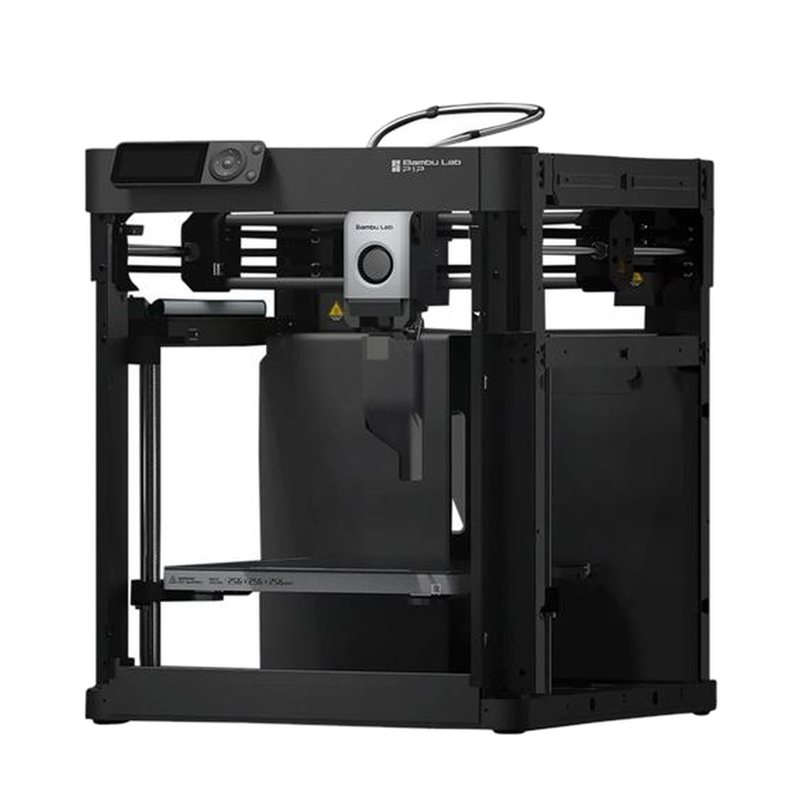
An open-frame CoreXY printer that shared the P1S motion system and 256 mm cubed build volume, aimed at tinkerers who wanted to modify or enclose it themselves. Bambu Lab ended manufacturing and active sales in February 2026, with parts and support promised until 2031.
What the press said · 9.5 from 2 press outlets · Read them
What reviewers say 9.5 from 2
How scores work-
10.0 TechRadarAn Editor's Choice disruptor that pairs top tier speed and print quality with a sub-$1000 price, well suited …
An Editor's Choice disruptor that pairs top tier speed and print quality with a sub-$1000 price, well suited to everyday printing.
- Very fast printing
- Excellent print quality
- Lots of upgrade options
- Side panels cost extra
- Base could be heavier
Read the full review on TechRadar · by Alastair Jennings
-
9.0 Tom's HardwareA very fast and accurate open frame CoreXY machine that can be customized with DIY panels and expanded …
A very fast and accurate open frame CoreXY machine that can be customized with DIY panels and expanded to multicolor with the AMS.
- Extremely fast
- Easy auto bed leveling
- Optional four color AMS
- Open frame struggles with ABS
- Noisy
- Proprietary replacement parts
Read the full review on Tom's Hardware · by Denise Bertacchi