Skip to content

Bambu Lab X1 Carbon

Not enough owners for a score yet. Here's what they say so far.

Bambu Lab X1 Carbon

1 of 5 owners · 4 more and the score goes live.

Own one? Tap your score:
Discontinued

No longer sold new. Reviews and known issues still apply.

Owner reviews 1 Rate it (10 seconds)

Reviewers earn Spools (site points) for any review, good or bad. Spools never change a score.

Not enough owner reviews for an overall owner rating yet: 1 of 5. Every rating is shown below as it comes in. Own one? Add yours.

S
shaunmckinnonEarned Spools November 9, 2026
★ ★ ★ ★ ★ ★ ★ ★ ★ ★ 9
Recommends this

9/10 and would buy again

Owned over 2 years · Biggest problem: Screen on one my 6 machines only 3 months in. Belt on another, after 10K hours.

What I liked:

What I didn't like:

Comments (0)

Owner wall

Own one? Add yours

No verified owners yet. Post a photo of yours with your code and be the first on the wall.

Price history

Official US store, checked weekly

No price history yet.

Known issues 2

Report an issue

From brand advisories, owner forums and reviews, with sources on each. Newest first. Tap one for what happens and what fixes it.

  • Low Firmware authorization blocks third-party printer control Last reported Oct 2026

    From firmware 01.08.03.00 (January 2025), the X1 series requires approved software for starting prints, motion, temperature and other controls. Third-party slicers and print-farm tools lost direct control, which caused controversy. Status reporting and SD card printing are unaffected.

    What fixes it: Enable LAN Only mode plus Developer Mode, use Bambu Connect, or stay below 01.08.03.00.

    From public reports: blog.bambulab.com, all3dp.com, feedback.simplyprint.io · Confirm or add a fix

  • Low X-axis bearing play triggers low resonance errors Last reported Oct 2026

    Some X1C owners find noticeable play in the X-axis linear bearings on the carbon rods, and one saw "resonance frequency x axis low" errors during calibration. One owner's replacement X axis from support showed the same play. Many long-term owners report no rod wear.

    What fixes it: Clean the carbon rods regularly and contact support if play is severe. A P2S-style carriage swap has been shown in a video, but owners call it laborious and not worth it.

    From public reports: forum.bambulab.com, forum.bambulab.com · Confirm or add a fix

Older or fixed issues (2)
  • Low Heat creep clogs with low-temp filament in a closed chamber

    Bambu's wiki lists enclosure heat as the most common cause of clogs on the X1 Carbon. PLA is fine on the Cool Plate with the door closed, but warmer beds, warm rooms, PVA or TPU can soften filament above the hotend and jam it.

    What fixes it: Open or remove the door and top cover for PLA, PVA and TPU when using warmer plates, per Bambu's guidance.

    From public reports: wiki.bambulab.com · Confirm or add a fix

  • High Heatbed signal cable breaks after a few hundred hours Last reported Dec 2022

    The thin 6-pin heatbed signal cable runs through tight bends at the rear Z mount with little strain relief. Owners report it breaking after a few hundred hours, causing force sensor errors, homing failures or lost bed temperature readings. Bambu's wiki has a replacement guide and notes the cable routing was later changed.

    What fixes it: Replace the heatbed signal cable (inexpensive spare part, wiki guide available) and route it without sharp bends.

    From public reports: forum.bambulab.com, forum.3dprintbeginner.com, wiki.bambulab.com · Confirm or add a fix

Specs

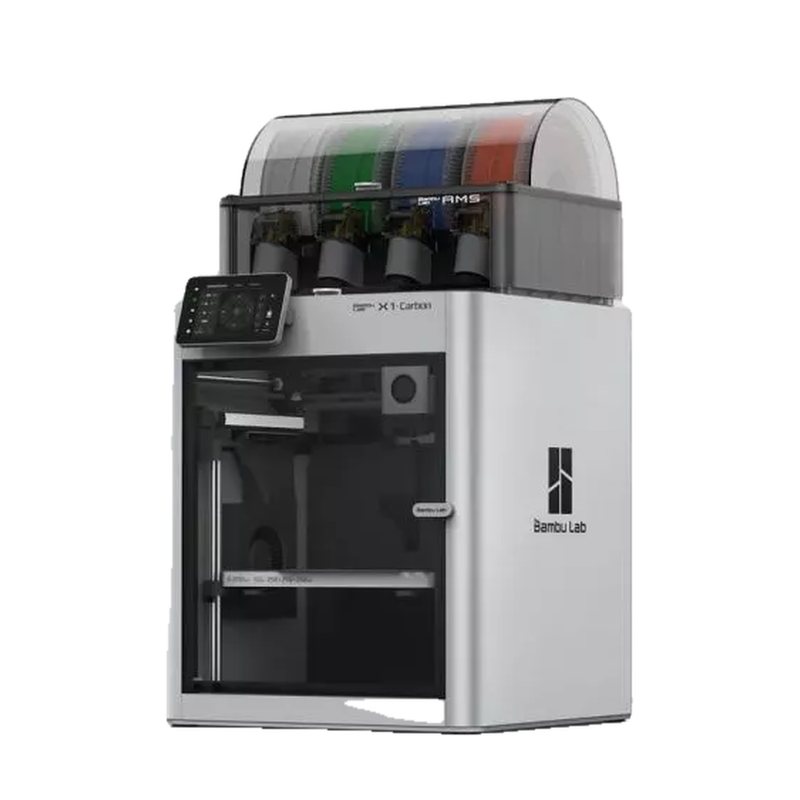
Bambu Lab's original enclosed CoreXY flagship, with a 256 mm cubed build volume, hardened steel nozzle, and Lidar-assisted first-layer checks, aimed at users printing carbon- and glass-fiber filaments. Manufacturing and active sales ended in March 2026; support continues until 2031.

256 × 256 × 256 mmbuild volume
CoreXY, enclosedformat
300 °Cmax nozzle
110 °C (120 °C on 110 V)max bed
Passive (enclosed, no heater)chamber
500 mm/smax speed
1 (4-color with AMS combo)toolheads
2022released
What the press said · 9.3 from 3 press outlets · Read them

What reviewers say 9.3 from 3

How scores work
  • 10.0 Creative BloqThe reviewer was thoroughly won over by the Combo's premium, low-babysitting prints, easy controls and AMS multicolor system. 5/5 · May 2025

    The reviewer was thoroughly won over by the Combo's premium, low-babysitting prints, easy controls and AMS multicolor system.

    • Very high quality prints
    • Easy to operate
    • Useful AI failure detection
    • AMS filament occasionally tangles
    • Timelapse needs an SD card

    Read the full review on Creative Bloq · by Beth Nicholls

  • 9.0 TechRadarAn outstanding all-rounder that mixes speed, precision and easy multi-filament printing, held back mainly by proprietary parts and … 4.5/5 · Oct 2024

    An outstanding all-rounder that mixes speed, precision and easy multi-filament printing, held back mainly by proprietary parts and filament waste.

    • Easy multi-filament printing
    • Great speed
    • Superb print quality
    • Lots of purge waste
    • Relies on proprietary parts
    • Closed firmware

    Read the full review on TechRadar · by Alastair Jennings

  • 9.0 Tom's HardwareAn Editor's Choice that the reviewer considers one of the best prosumer desktop printers available, living up to … 4.5/5 · Feb 2024

    An Editor's Choice that the reviewer considers one of the best prosumer desktop printers available, living up to its hype.

    • Rigid CoreXY frame
    • LIDAR-assisted calibration
    • Fast multicolor printing with AMS
    • Textured PEI plate not included
    • Default purging wastes material
    • Nozzle swaps are fiddly

    Read the full review on Tom's Hardware · by Andrew Sink

KeoPrints review

Not counted in the Internet score

Keo's take

Keo says this is an unboxing and not a full review, but his initial take is that the X1 Carbon is a great machine that set up easily and printed its first multicolor job reliably, fast and with a good surface finish. His open question is whether it is actually better than the P1S or whether buyers would be better off saving money with the P1S.

Pros, cons and the video
  • Easy setup with clear instructions
  • Excellent, solid touchscreen
  • First multicolor print was reliable, fast and clean
  • Included toolkit is a step down from older Bambu kits
  • Unclear whether it is worth the premium over the P1S

Nov 10, 2024 · Bought by KeoPrints