Creality Ender-3 V3 KE
No owners yet. Here's everything else.
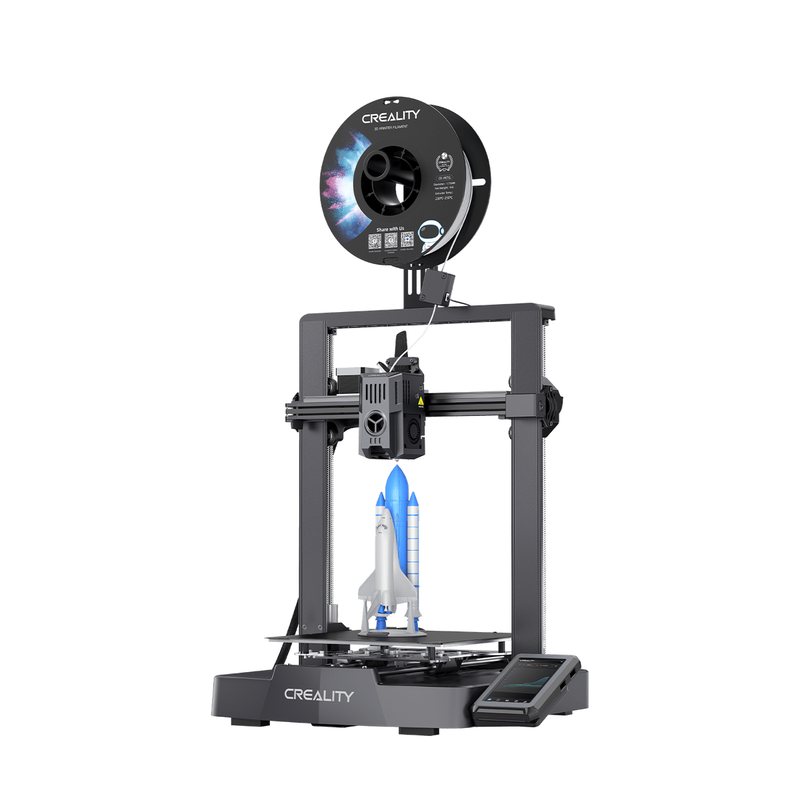
0 of 5 owners · 5 more and the score goes live.
No longer sold new. Reviews and known issues still apply.
Owner reviews 0 Rate it (10 seconds)
Reviewers earn Spools (site points) for any review, good or bad. Spools never change a score.
No owner reviews yet. If you own a Ender-3 V3 KE, yours will be the first, and it starts this printer's ranking.
Owner wall
Own one? Add yoursNo verified owners yet. Post a photo of yours with your code and be the first on the wall.
Price history
Official US store, checked weeklyNo price history yet.
Known issues 1
Report an issueFrom brand advisories, owner forums and reviews, with sources on each. Newest first. Tap one for what happens and what fixes it.
-
Low Wi-Fi connection drops or freezes
The KE's Wi-Fi drops after prints are sent or keeps disconnecting, and for one owner the network status froze until the printer was power cycled.
What fixes it: One owner fixed it with router settings: 2.4 GHz only, 20 MHz channel width, a fixed channel, WPA2-AES, and an SSID with only letters and numbers. Another put the printer on its own network. Checking the antenna cable at the mainboard was also suggested.
From public reports: forum.creality.com, forum.creality.com · Confirm or add a fix
Older or fixed issues (3)
-
High First self-check or auto-leveling fails with unknown Key errors
Mostly on new units, the initial self-check or auto-leveling stops with errors such as Key 3000, Key 2401 or Key 2022, sometimes with the print head shaking against the frame. About 20 owners reported it, most around the late 2023 launch, and no single cause was found.
What fixes it: Things that worked for some owners: setting the voltage switch to match the mains supply, tightening the X and Y belts, leveling the gantry, reseating cables, and a factory reset. A replacement Z-level board and sensor from Creality fixed it for two owners, while a replacement CR Touch alone did not help one. One owner's replacement printer failed the same way.
From public reports: forum.creality.com, forum.creality.com · Confirm or add a fix
-
Medium Loose Y-axis rods or bed bearings rattle
Owners report play or clicking where the Y-axis rods sit in their front supports, and bed bearings that rattle in their plastic housings. It shows up as noise and as print defects away from the bed center.
What fixes it: Owners suggest shimming the rod seat or setting the brass insert deeper, packing the bearings with grease, or swapping to polymer bearings or a linear rail kit; few posted results. Owners have also asked Creality for warranty parts.
From public reports: forum.creality.com, forum.creality.com · Confirm or add a fix
-
Medium Auto Z offset leaves the first layer too high or shifts
After auto calibration the first layer often sits too high, so it does not stick and gets dragged around, and the offset can shift between prints. Owners also saw a firmware update reset the Z offset, followed by adhesion problems.
What fixes it: Lower the Z offset by about 0.10 to 0.15 mm while watching a wide skirt, and recheck it after every firmware update. A factory reset cleared a firmware mismatch loop for one owner.
From public reports: forum.creality.com, forum.creality.com, forum.creality.com · Confirm or add a fix
Specs
A Klipper-based bed slinger that brought Creality OS, Wi-Fi and 500 mm/s speeds to the Ender-3 format. Very common in the used market and a solid budget pick for tinkerers who like an open, moddable printer.
What the press said · 9.0 from 2 press outlets · Read them
What reviewers say 9.0 from 2
How scores work-
9.0 Tom's HardwareA fast, affordable, open-source bed slinger that pairs Creality's ease of use with Klipper speed.
A fast, affordable, open-source bed slinger that pairs Creality's ease of use with Klipper speed.
- Klipper firmware and open source
- Excellent auto bed leveling
- Direct drive extruder at a low price
- Accelerometer sold separately
- Limited Creality Klipper interface
Read the full review on Tom's Hardware · by Denise Bertacchi
-
9.0 TechRadarAn excellent entry-level printer that nearly aced the benchmark prints, with dimensional accuracy as its main weakness.
An excellent entry-level printer that nearly aced the benchmark prints, with dimensional accuracy as its main weakness.
- Robust design
- Quality components
- Easy wireless control
- Creality mobile app is clunky
- Not enclosed
Read the full review on TechRadar · by Alastair Jennings