 Needs owners2 of 5 so far
No press
$279
was $299
7% off
Not enough owners for a score yet. Here's what they say so far.
1 of 5 owners · 4 more and the score goes live.
Paid link. We may earn a commission at no extra cost to you. How this works
Price checked Nov 7 on the official US store.
Reviewers earn Spools (site points) for any review, good or bad. Spools never change a score.
Not enough owner reviews for an overall owner rating yet: 1 of 5. Every rating is shown below as it comes in. Own one? Add yours.
Owned over 2 years · Biggest problem: z offset drift when starting new print.
No verified owners yet. Post a photo of yours with your code and be the first on the wall.
Price tracking for the Neptune 4 Pro started Oct 30, 2026. The graph fills in as the weekly price checks come in.
From brand advisories, owner forums and reviews, with sources on each. Newest first. Tap one for what happens and what fixes it.
Elegoo ships a modified Klipper build, and using the update buttons in Fluidd or Mainsail (for example after adding webcam or timelapse settings) can leave the Neptune 4 Pro unable to start Klipper, with errors such as 'CommandWrapper has no attribute get_command_tag'. Two owners reported this exact error on the Klipper forum in September 2023, and one got the printer working again only after Elegoo sent a replacement eMMC module. A Klipper forum regular said the official Klipper project cannot support Elegoo's fork, and Elegoo's own instructions say updating to official Klipper, Moonraker or Fluidd is not supported.
What fixes it: Only update with Elegoo's official USB firmware packages. If the system is already broken, reapply the fix pack and firmware in order, reflash the eMMC image, or ask Elegoo support about a replacement eMMC.
From public reports: klipper.discourse.group, printer-hub.com, tomshardware.com · Confirm or add a fix
The Neptune 4 Pro feeds filament through a PTFE tube into the heat break, and Printer Hub collects owner reports of heat creep clogs late in long prints, often 70 to 90 percent of the way through. A stalled heat-break fan, back-to-back prints and sustained printing above about 250 °C make it worse. The nozzle is also a custom Elegoo design, so standard replacement nozzles do not fit. Elegoo has a nozzle clogging page for the Neptune series.
What fixes it: Confirm the heat-break fan spins whenever the nozzle is hot, let the heat break cool between back-to-back prints, reseat or replace the PTFE tube, re-torque the nozzle hot, and use only nozzles made for the Neptune 4 and 4 Pro. For sustained printing above about 250 °C, Printer Hub suggests an all-metal hotend.
From public reports: wiki.elegoo.com, printer-hub.com · Confirm or add a fix
When a part detaches mid-print, plastic can build up around the Neptune 4 Pro hotend and encase the heater block and wiring. The thermistor leads are very thin and can snap when the blob is pulled off, after which the printer shows a below-zero temperature and will not heat. Elegoo has a wiki page on this for the Neptune 4 and 4 Pro, and Printer Hub reports Elegoo does not treat it as a warranty case.
What fixes it: Check the cold temperature reading first. Heat to about 200 °C, power off, and pull the blob off while warm without pulling on wires; replace the thermistor if it reads below zero. Re-torque the nozzle hot, then re-level and reset the Z offset. Prevent it with a correct Z offset, a clean plate and supports on small-footprint models.
From public reports: wiki.elegoo.com, printer-hub.com · Confirm or add a fix
Owners report the first layer changing from one print to the next on the Neptune 4 Pro, with the saved Z offset not being applied or shifting by a few tenths of a millimeter. Causes cited include inductive probe drift as the bed heats, mechanical play in the wheels and gantry, and the saved bed mesh not being loaded by the default start G-code. Elegoo has a wiki page titled Abnormal Z Offset for the Neptune 4 and 4 Pro.
What fixes it: Calibrate the probe with the bed and nozzle at printing temperature, level from only one place (touchscreen or web UI), and add a bed mesh load command to the slicer start G-code. Check wheel preload and gantry squareness.
From public reports: wiki.elegoo.com, printer-hub.com, tomshardware.com · Confirm or add a fix
The Neptune 4 Pro was built in two hardware revisions (ribbon printhead cable and Type-C cable) that need different firmware and printhead parts. Flashing the package for the other revision, or applying files in the wrong order, can leave the screen stuck on the logo or the printer unable to boot.
What fixes it: Identify the revision by the printhead cable, download from the matching column on Elegoo's download page, and apply the fix pack, mainboard firmware and screen firmware in Elegoo's stated order using a FAT32 USB 2.0 drive.
From public reports: elegoo.com, printer-hub.com · Confirm or add a fix
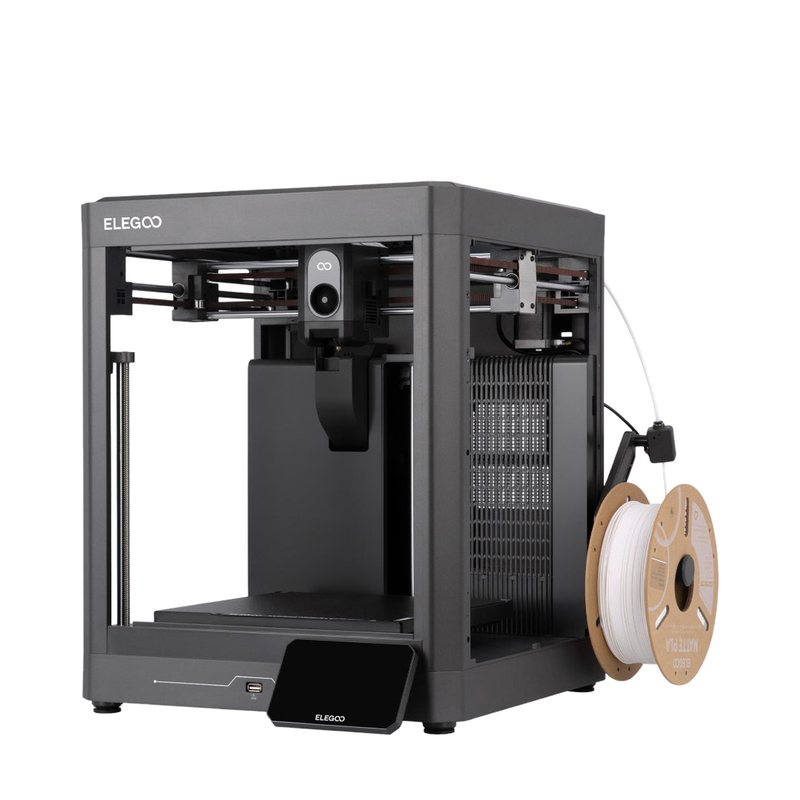
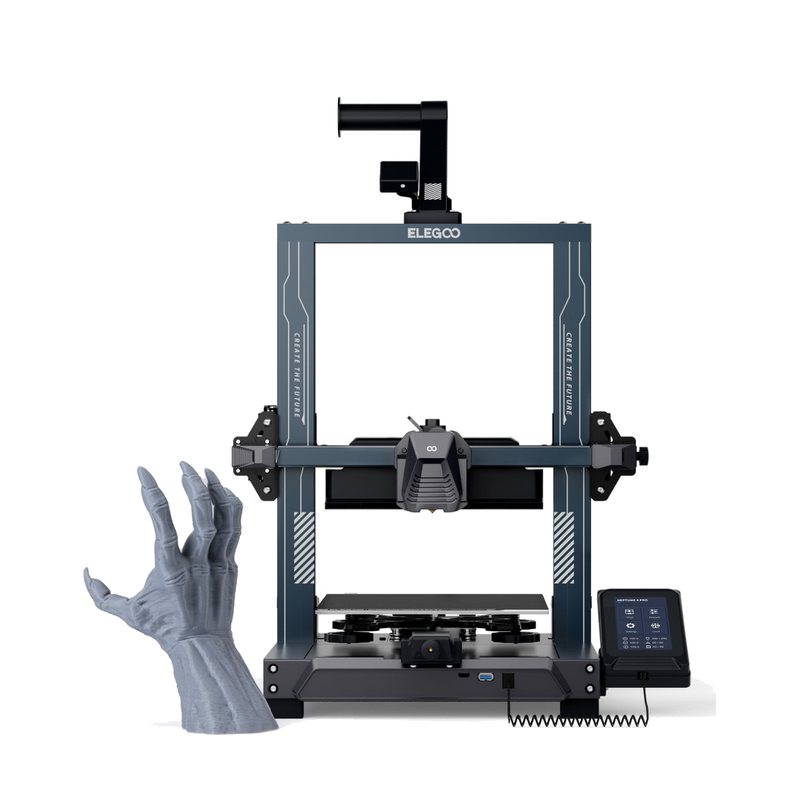
The step-up Neptune 4 with a segmented heated bed, dual-gear direct drive extruder and Klipper firmware rated up to 500 mm/s. It suits budget buyers who want a well-reviewed single-color printer and are fine with some tuning.
Needs owners2 of 5 so far
No press
 Needs owners1 of 5 so far
9.02 press
 Needs owners1 of 5 so far
8.52 press
An Editor's Choice that adds Klipper, better cooling and linear rods to the Neptune line at a low price, a strong pick for sub-$300 buyers wanting speed.
Read the full review on Tom's Hardware · by Andrew Sink
A fast, precise and user-friendly printer the reviewer counts among the best for beginners.
Read the full review on TechRadar · by Alastair Jennings
Comments (0)
Log in to join the discussion.